Checks and repairs, every day
Routine checks, the repairs that come out of them, and templates for each site.
Daily and weekly checks
The same checks, done the same way, at every site.
- Opening, closing and weekly check templates
- Turned into today's tasks for each site
- Cleaning checklists by site and room type
- Each task shows who did it and when
- Comments and notes on every task
Compare us with: Trail · Connecteam
Included with checklists and maintenance
Everything your team needs to keep a site in shape.
Tasks on every phone
Managers see everything
Assign work to whoever is on shift, and see what’s open, in progress or blocked across the site. Change the priority or the person in a couple of taps.
Rooms off sale
For hotels, an open fault takes the room out of order and blocks it on every booking channel until it’s fixed, so no guest is checked into a broken room.
Templates for each site
Set opening, closing and safety walk-round templates per site, then generate the day’s tasks in one tap.
Housekeeping checklists
Cleaning checklists by site and room type, shown on the room sheet the moment a housekeeper starts the clean.
A record you can show
Every task keeps who did it, when it was done and any notes, ready for an area manager, landlord or inspector.
Every feature, in detail
Everything below comes with every plan, at one price per site, with no add-ons or per-user fees. Open each area underneath for the rest.
More features, by area
5 features
| Feature | Every plan |
|---|---|
| Faults logged with a priority, an owner and photos | ✓ Included |
| Followed from open to resolved, with notes on what was done | ✓ Included |
| A critical fault takes the room out of order and off sale | ✓ Included |
| Rooms back on sale once the fault is fixed | ✓ Included |
| A record of who did each task and when | ✓ Included |
8 features
| Feature | Every plan |
|---|---|
| How many faults are still open on each room | ✓ Included |
| Assign cleaning tasks to a housekeeper | ✓ Included |
| Each housekeeper’s own task list for today | ✓ Included |
| Tasks marked in progress, not just to do or done | ✓ Included |
| Housekeepers ask for supplies mid-shift | ✓ Included |
| Photos on lost property records | ✓ Included |
| Set a room to dirty, clean or inspected from any screen | ✓ Included |
| See which bookings are waiting for a room to be ready | ✓ Included |
1 feature
| Feature | Every plan |
|---|---|
| Room amenities by room type, with requests from guests | ✓ Included |
1 feature
| Feature | Every plan |
|---|---|
| A supervisor override with a typed reason, recorded | ✓ Included |
Make it yours. Let it do the legwork.
Shape it to how you work, and let it handle the routine for you.
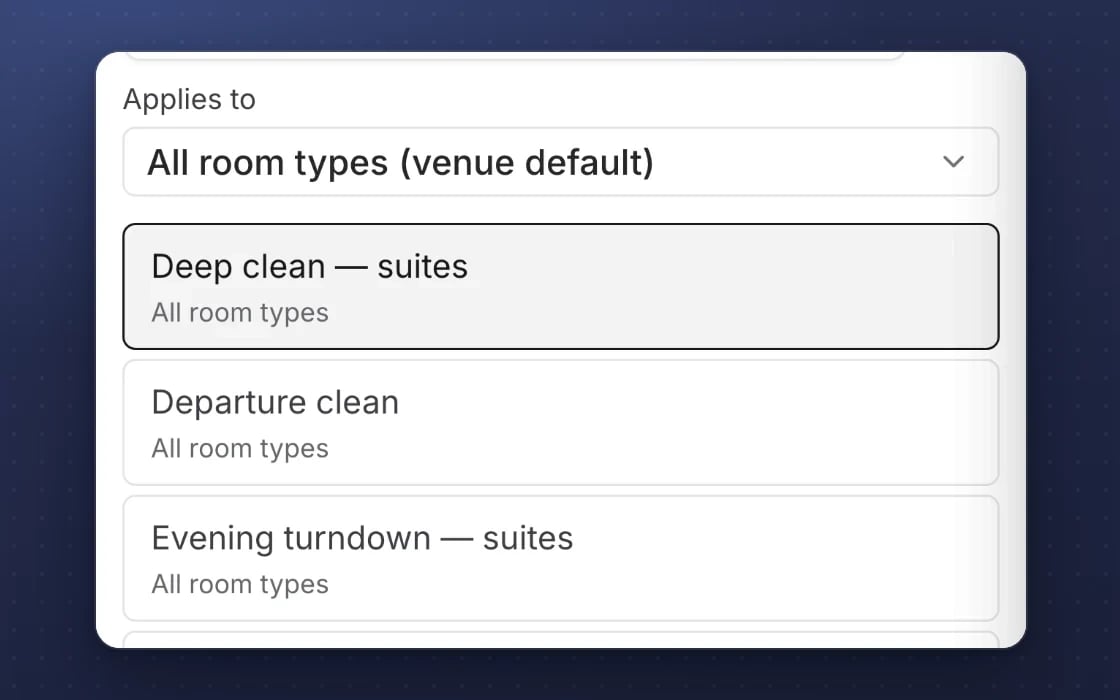
Templates for each site
Opening, closing and weekly checklists for each site, and cleaning checklists by room type.
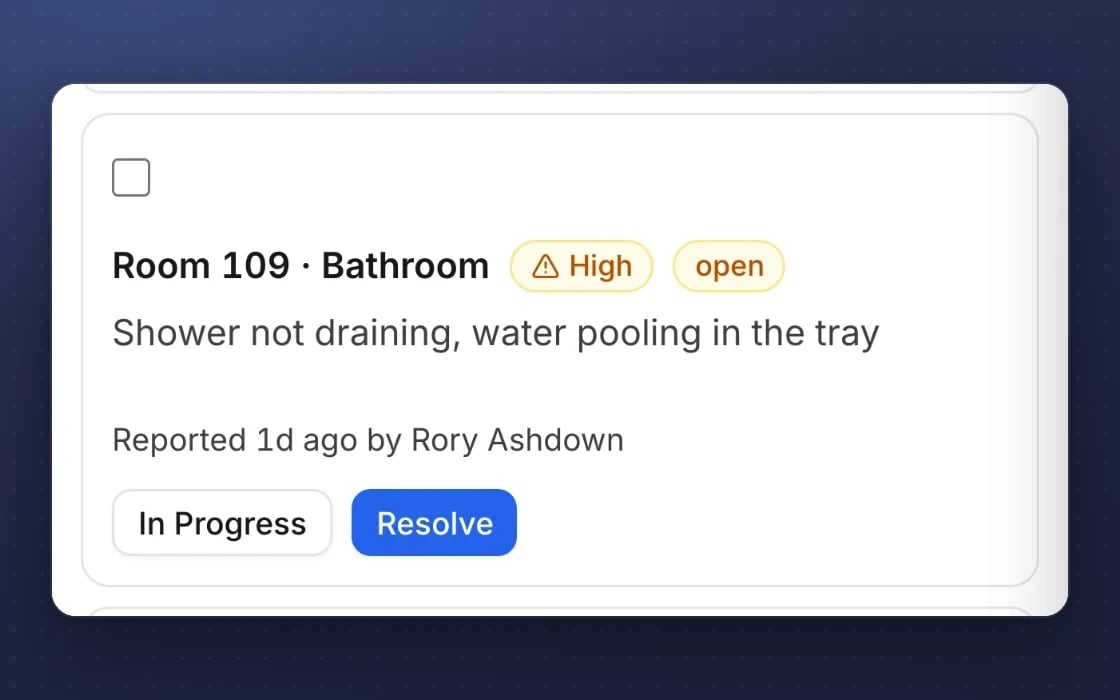
Rooms off sale until fixed
A critical fault takes the room off sale, and it stays off until every open fault on it is fixed.
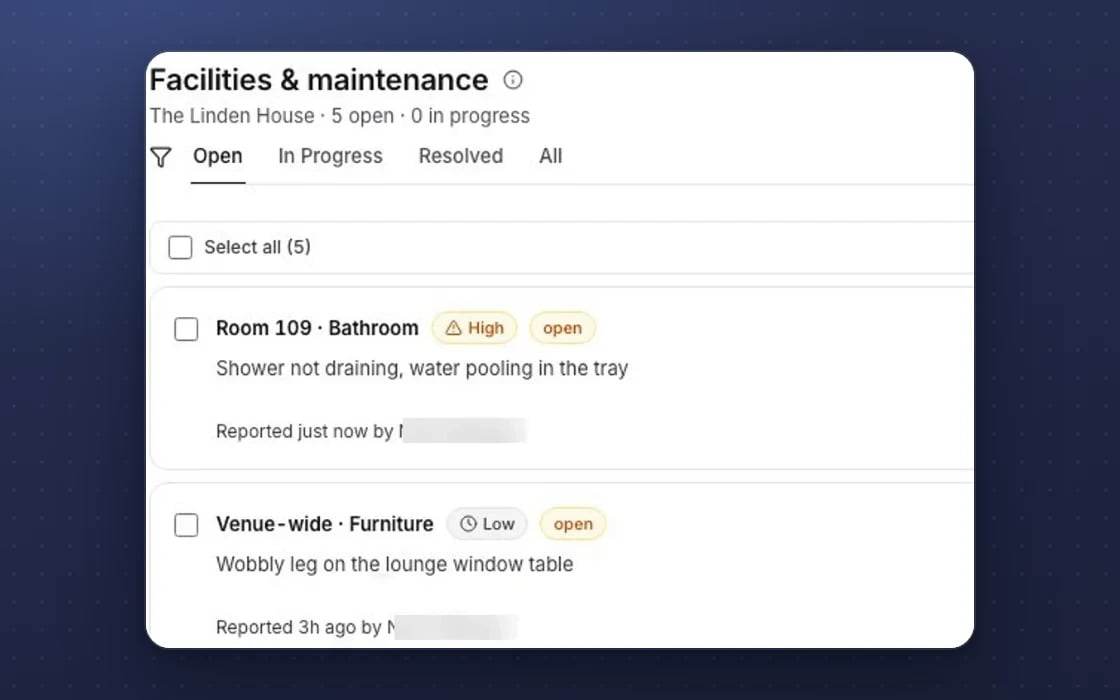
Who did what
A record of who did each task and when.
What checklists and maintenance replaces
Fewer clipboards and fewer apps.
Paper checklists
Clipboards in the back office that nobody can find when an inspector, an area manager or an insurer asks you to show the checks were done.
Task and repair apps
Tools like Trail, Connecteam, Flexkeeping or UpKeep for checks and work orders. Here they share one staff app with your rota and housekeeping, so you pay for one system, not three.
Chasing in group chats
Faults reported in a group chat and forgotten by the next shift. Every job here has an owner, a priority and a status, so nothing slips through.
Set up by real people, supported by AI. An mDOS Expert Partner builds your first checklists and task templates with you and shows your managers how to run the day from them, so your team is using it from the first shift.
Switch at your own pace
Start with one site or one checklist, and keep your current task app while its contract runs out. We set up your checklists with you, help you move open jobs, and agree a tailored switching plan with you.
Three things no one else brings together
Checklists keep standards up. mDOS adds AI agents that keep work moving, and a team that builds your first lists with you.
World-leading software
Opening checks, safety walk-rounds and cleaning lists appear as tasks for the right people every day, and faults are followed until they’re fixed.
Tireless AI agents
When a task goes overdue, AI agents raise it with its owner and a suggested next step, and the morning briefing shows what needs doing first.

Real experts driving it
An mDOS Expert Partner builds your first checklists and task templates with you and shows your managers how to run the day from them.
Keep the tools that work for you. Replace the ones that don't.
Already using a till, a payment provider or booking sites you like? mDOS works alongside them, or takes over when you’re ready.
Support from a real marketing team
mDOS is built and operated by MDOS AI LTD. When you message or phone us, real Marketing Experts answer, on every plan, led by our Founding Partner Agency, Mr Digital. Here are five ways we help you get results.
Chat with our marketing experts
Message us from any screen in mDOS. The people who answer are marketers from our partner agencies, not a call centre.
- Live chat on every plan, from the Chat button on every page, and you can phone us when you need to
- Answered by marketing experts from our partner agencies, the same people who run marketing for clients
- Ask about the software or your marketing: setup, campaigns and results
- AI support for quick answers whenever you need one
Included in every plan